


For this project a wide variety of professional techniques were used to attain optimization through kit creation, procedural modeling of all of the foliage in Speed Tree, RGB masks, blended materials, lighting levels, and much more! All without any megascans.
Breakdown:
Speed Tree:
For the foliage, I set about creating everything in the scene. For the background trees I needed to keep them low poly while reading their silhouette well. Using Unreal's LODs and a great deal of branches in Speed Tree I managed to create a large forest without impacting frame rate. I also enjoyed creating wind effects for the grass, reeds, and foreground trees.
Blockout
With so much scale on a scene like this , blockout was an arduous process, which not only included how everything would be placed, but how everything would be modeled according to real world scale.


Sculpture
All of the stone assets of this scene were sculpted in Zbrush, with normals baked onto the lower poly versions. I love Zbrush and find sculpting one of the most relaxing parts of my work.

RGB Mask
This is my RGB mask for the tower asset, saving me a lot of textures, you might be able to notice I use the same couple of tilable textures and RGB masking the rest of the foreground.

RGB Mask
The stone textures came out quite nice after baking, and blending about 3 tilables I was able to create the material blend of the tower.


Tilable Usage
Here I was highlighting the usage of majority tiling textures across my scene. Everything in red is using the same material blend as my tower. Everything in green is a tan and orange plaster blend, and all of the highlights in blue show my roof texture. I like to keep the amount of special textures in my scene very minimal, as draw calls for textures can be one of the most expensive drains on memory. Especially for epic sized scenes like these.
![Material].png](https://static.wixstatic.com/media/b040a4_950fa653a3f44841a93f5c77a67e70bf~mv2.png/v1/fill/w_838,h_127,al_c,lg_1,q_85,enc_avif,quality_auto/b040a4_950fa653a3f44841a93f5c77a67e70bf~mv2.png)
Material Blends
For the tower, trail, and many of the bricks poking out of the back buildings Material Blending was used to create more detail for these scenes. Specifically for my hero asset the tower, more work went into creating an RGB mask that could create AO, wear, and roughness changes, while lowering draw count.
Stone Streets:
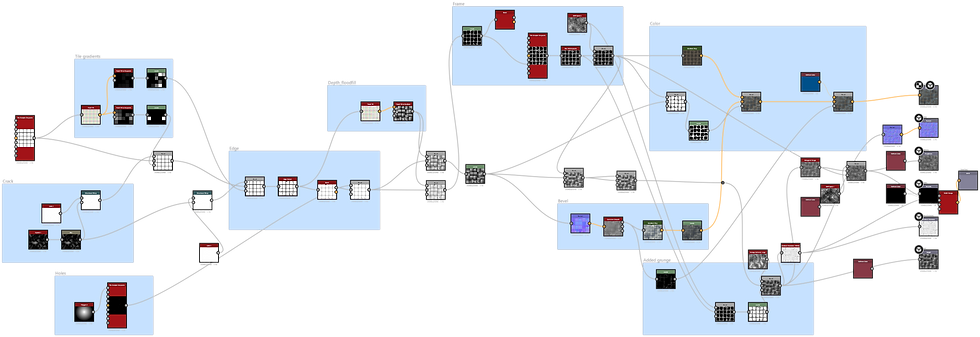
This texture was fully created in Designer, and served as the base for my stone street blend. I enjoyed "sculpting" height with designer, making cracks, and changes in angle on these tiles.


Roof Tiles:
This texture was also made in designer, I did a great deal of legwork for me in my scene, creating the illusion of what would have been many thousands of roof tiles that made up the mega structure. I created a skirt mesh of tiles on the edges and corners of the roof, to use less geo.


